Grab My Blinkie

Favorite Scrap Stores


Showing posts with label ART. Show all posts
Showing posts with label ART. Show all posts
Tuesday, September 25, 2012
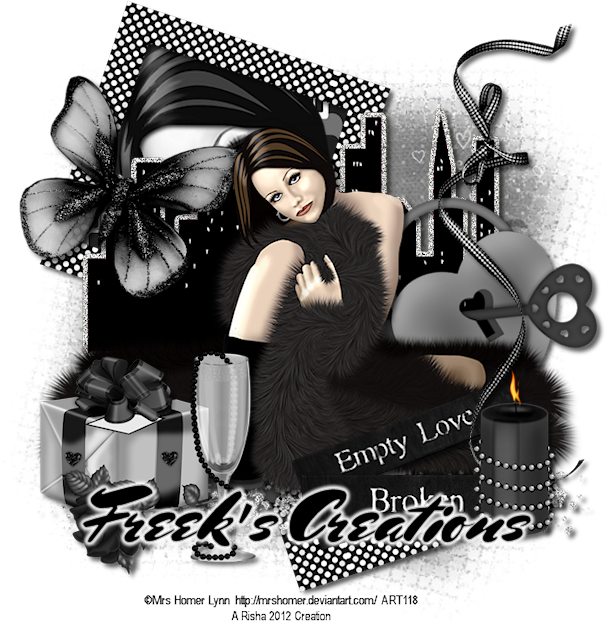
Broken Love
Broken Love
Supplies:
Tube - I'm using a great free tube from Mrs. Homer Lynn. Even though this is a freebie tube you still need a license to use it. You can get tubes/license at ART.
Scrap Kit - I'm using a beautiful PTU kit from Freek's Creations called " 50 Shades". You can purchase this kit at ART.
Mask of choice
Font - I'm using Mr. Sheppards
To begin open your tube and mask in PSP - minimize for now - new 700 x 700 image white background
1. Copy/paste E38 as a new layer - resize if needed and position on canvas - click inside each frame with magic wand - selections - modify - expand by 6 - copy/paste paper of choice as a new layer - selections - invert - delete - move below frame layer - copy/paste your tube as a new layer - position inside first frame opening resizing if needed - hit delete - repeat for other frame opening - selections - select none - change tube properties to Luminance (L) - drop shadow tube and frame layers
2. Copy/paste E13 as a new layer - resize if desired and position on canvas - drop shadow - copy/paste E29 as a new layer - resize if desired and position on tag - drop shadow
3. Copy/paste E28 and E37 as new layers - resize and position on tag - drop shadow both layers
4. Copy/paste your tube as a new layer - resize if desired and position on canvas - drop shadow
5. Copy/paste the following elements as new layers resizing and position on tag: E22, E25, E1, E2 and E14 - drop shadow each layer
6. On white background - copy/paste a paper of choice as a new layer - layers - new mask layer - from image - apply mask and delete original mask layer - merge group
7. Close out white background - crop/resize tag - add copyright/license info and name - save as .png
That's it! Thank you for trying my tutorial!!
Thursday, September 20, 2012
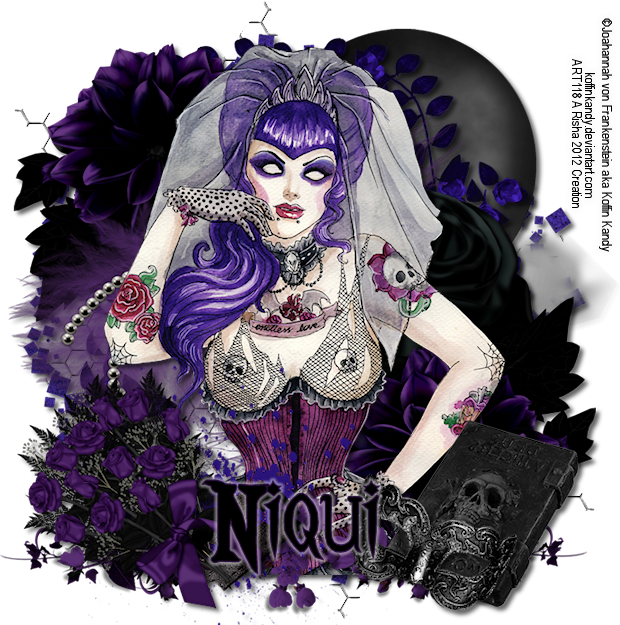
Gothic Bride
Gothic Bride
Supplies:
Tube - I'm using the amazing art of Joahannah von Frankenstein. You must have a license to purchase her tubes and you can get a license/tubes at Artistic Reality Talent.
Scrap Kit - I'm using a great PTU kit by Niqui's Designs called "Dark Gothic". You can purchase this kit at Artistic Reality Talent.
Font - I'm using Blood Omen
To begin open your tube in PSP and minimize - new 700 x 700 image white background
1. Copy/paste element 15 as a new layer - position to the top left of your canvas - duplicate - image - mirror - image - flip
2. Copy/paste element 23 as a new layer - center in canvas - drop shadow - copy/paste element 60 as a new layer - resize if desired and position on the top right of canvas - drop shadow copy/paste element 3 as a new layer - position in center of canvas - drop shadow
3. Copy/paste element 31 as a new layer - resize if desired - position towards the top left of canvas - duplicate - image - mirror - image - flip - drop shadow both layers
4. Copy/paste element 37 as a new layer - image - mirror - move below your duplicate of element 31 - drop shadow
5. Click on top layer and copy/paste your tube as a new layer - position in center of canvas - drop shadow - rearrange your bottom elements to fit around your tube if needed
6. Click on tube layer - copy/paste element 14 as a new layer - resize and position on bottom of tube - drop shadow
7. Copy/paste the following elements and arrange along bottom of tag: 20, 26, 39, and 49 - resize and position - drop shadow each layer
8. Close out white background - crop/resize tag to your preference ( I resize mine to 625 pixels on the largest side) - add copyright/license info and name - save as .png
That's it!! Thank you for trying my tutorial!!
Subscribe to:
Posts (Atom)
About Me

- Risha
- Vernon, Florida, United States
- Hello! I'm a SAHM of 2 beautiful children Wyatt & Caitlyn and have been married to my wonderful husband Everett for 9 years. I live in a small town in NW Florida and am owned by several miniature dachshunds. I've been PSPing for 7 years now and just now decided to put my tags into tutorial form. When I'm not busy taking care of my various animals which not only is dachshunds, but includes various types of fowl and poultry I am playing with my kids or at my computer.
Licensing


